Full fidel keyboard
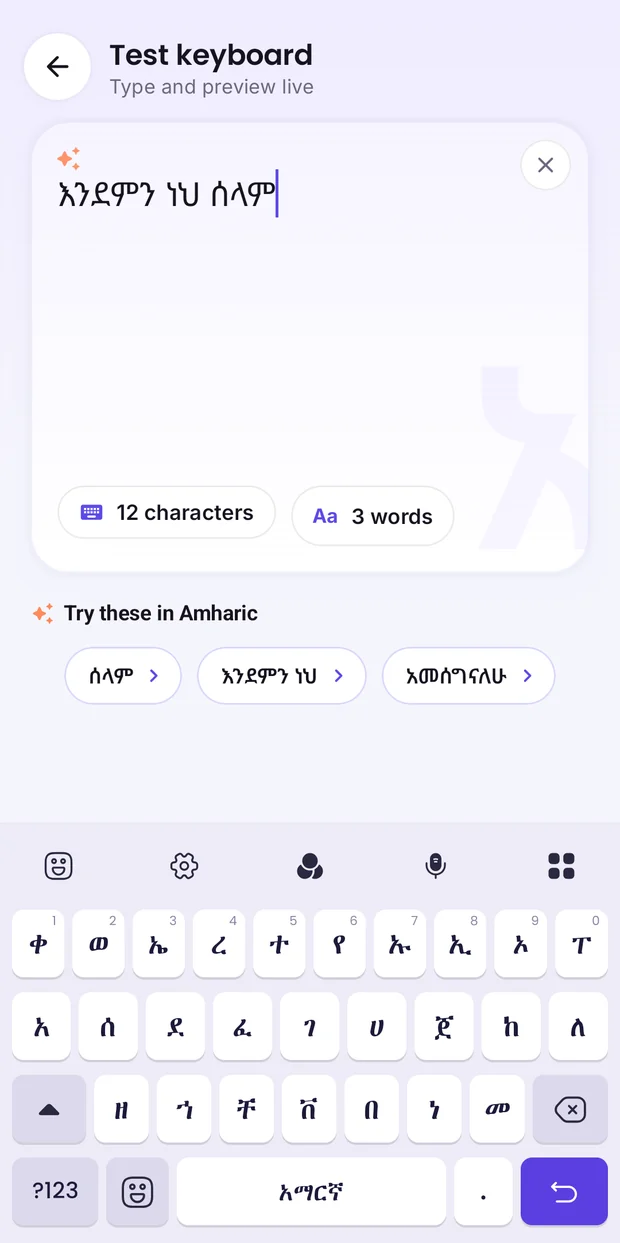
Every Ge'ez consonant with its seven vowel orders, laid out in a clean, compact grid that feels instantly familiar.
A keyboard crafted for Ge'ez — type in fidel, in romanized phonetic (selam → ሰላም), or by voice. With a built-in translator, 100+ themes and real Ethiopic fonts. And your typing never leaves your phone.

Free · Coming soon to Google Play · No sign-up required
One keyboard for the whole Ge'ez script — plus the tools that make everyday typing faster and more fun.
Every Ge'ez consonant with its seven vowel orders, laid out in a clean, compact grid that feels instantly familiar.
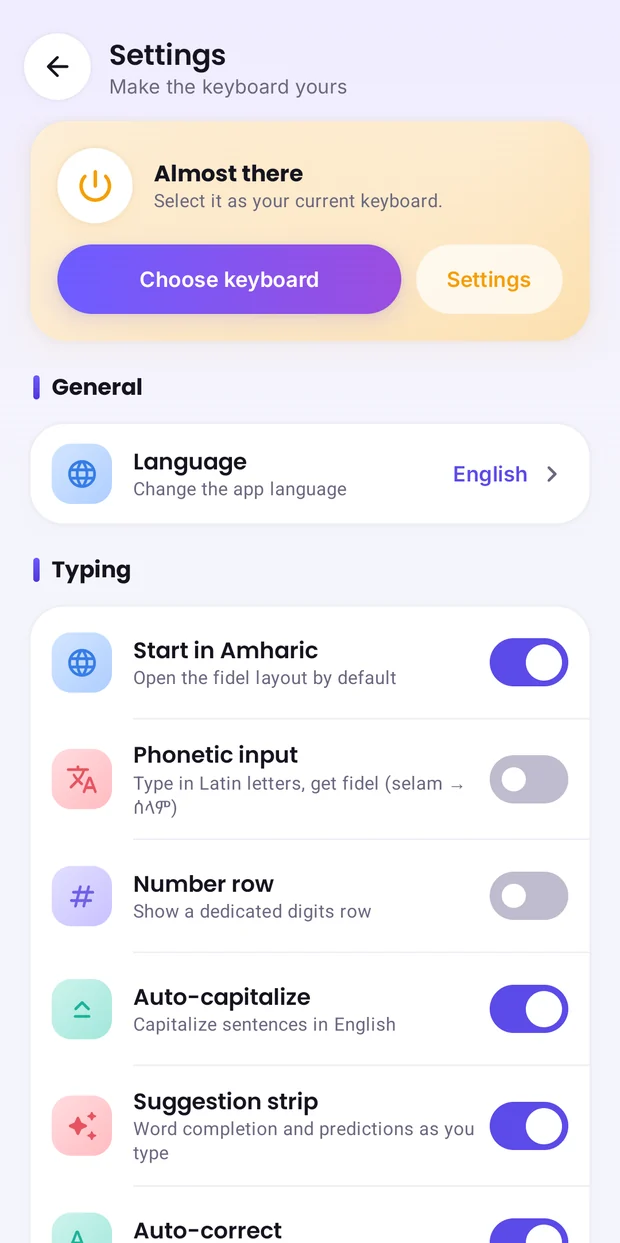
Prefer a QWERTY feel? Just type it the way it sounds — selam becomes ሰላም as you go.
Speak and watch it appear in Amharic. Powered by your device's own speech recognizer — tap, talk, done.
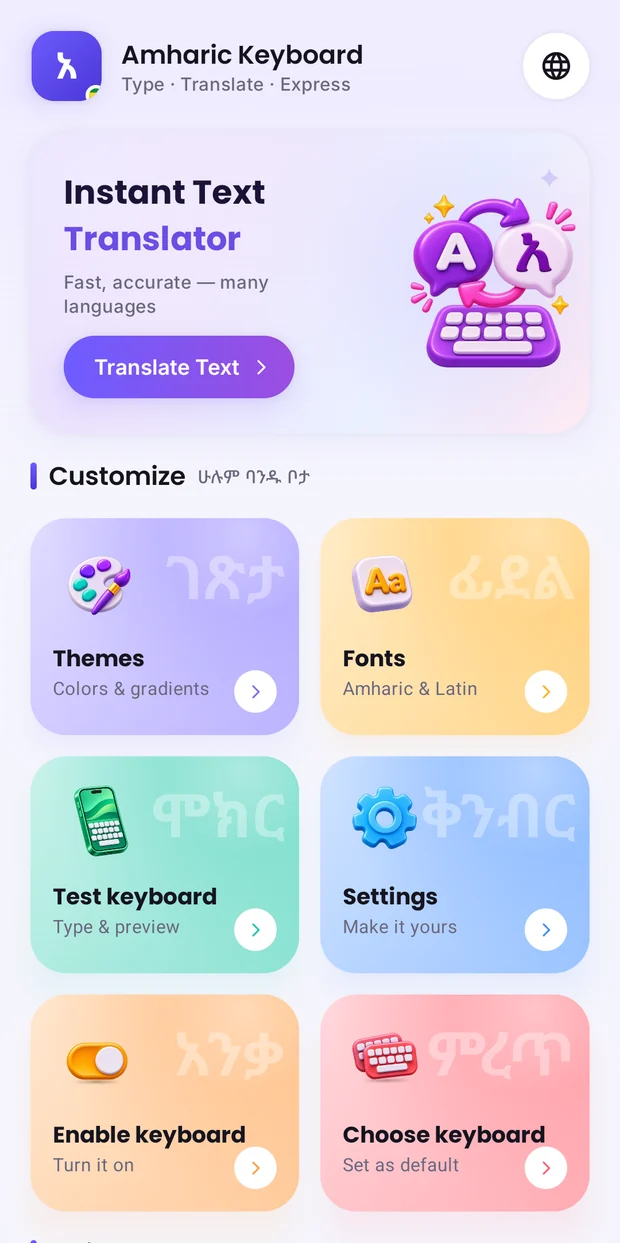
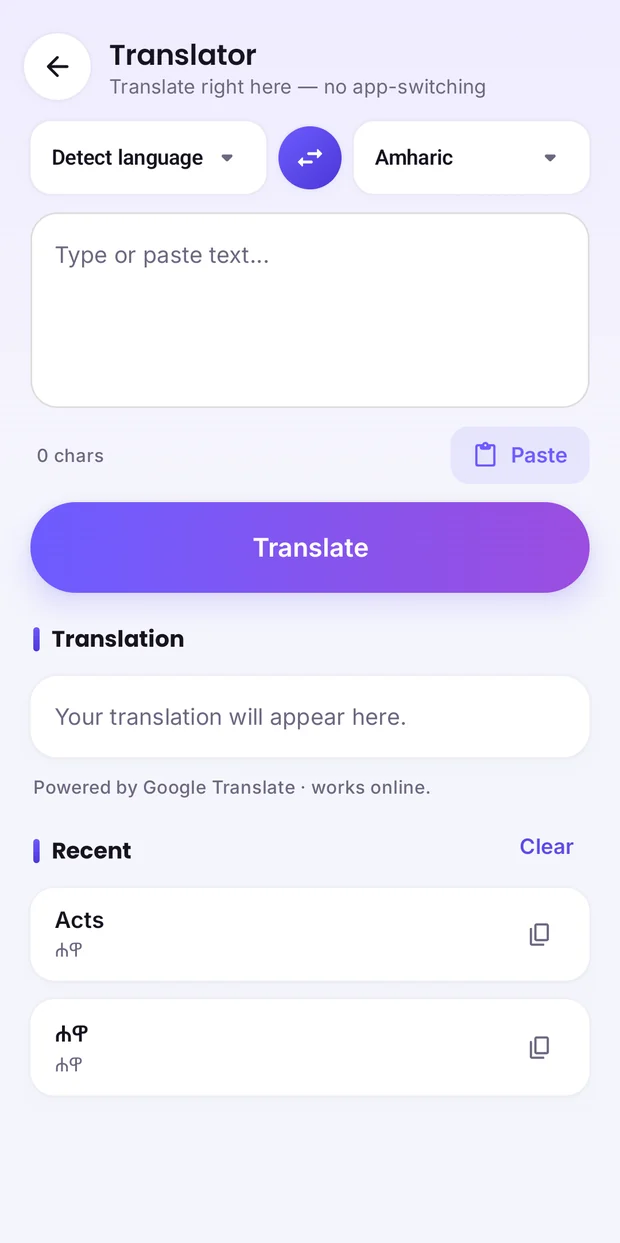
Translate between Amharic and 100+ languages right inside the app — no switching apps, no copy-paste dance.
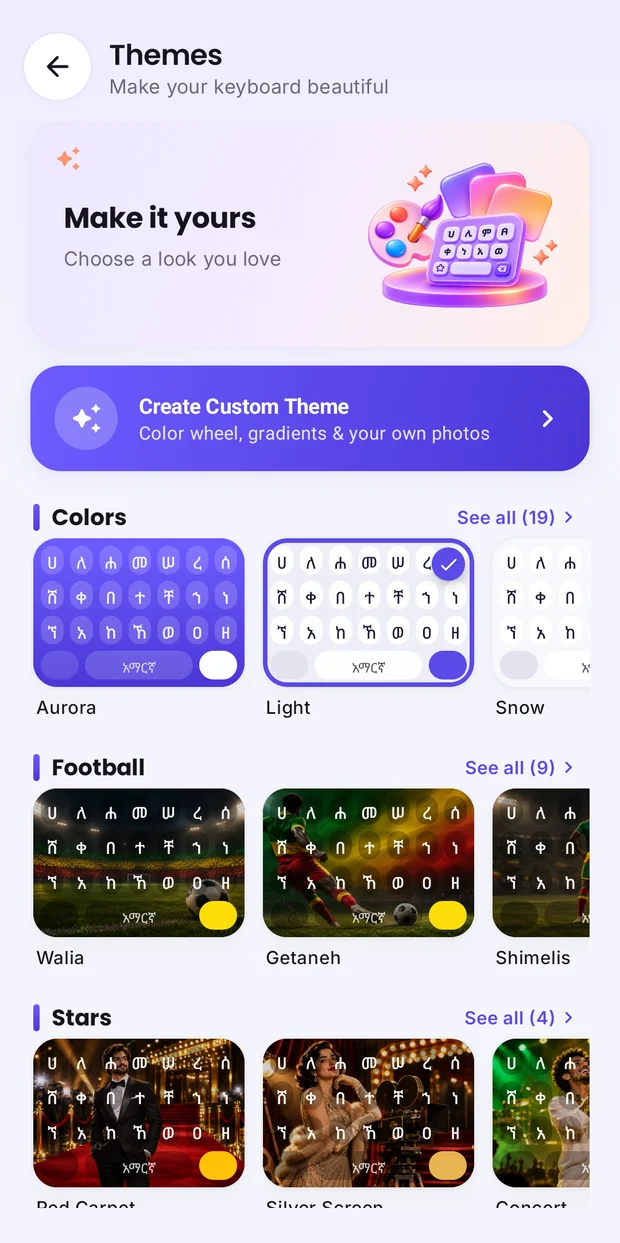
Colors, gradients, culture, football, stars — or build your own from a photo with adjustable opacity and key shape.
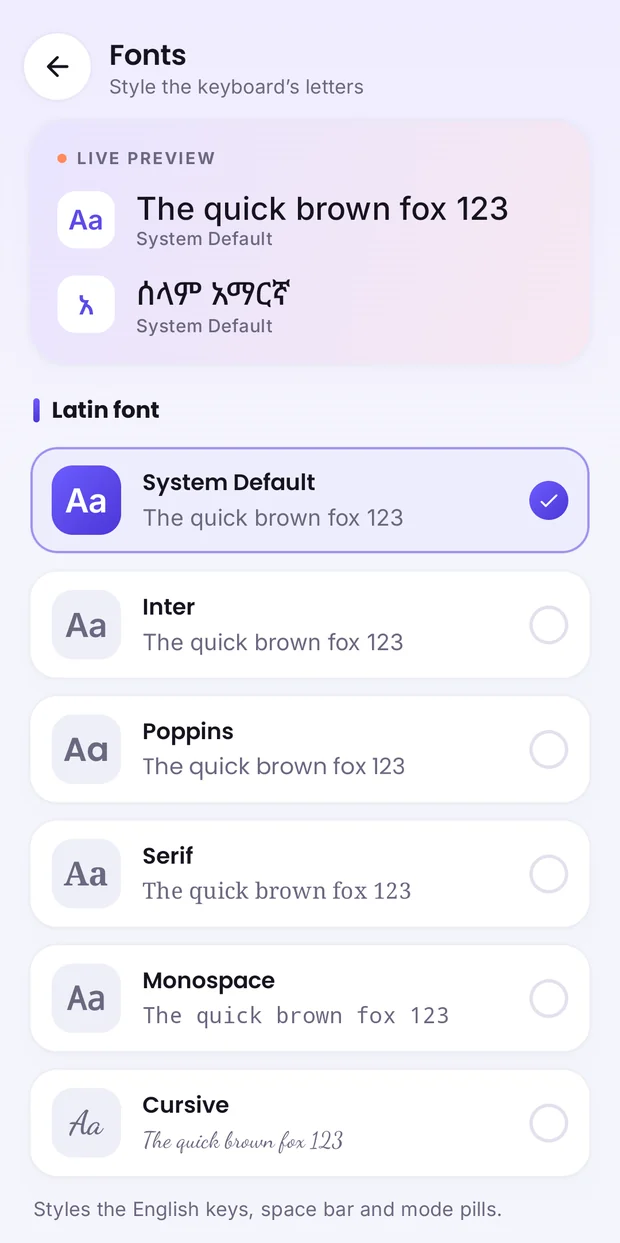
Real Ethiopic typefaces with full fidel coverage, plus Latin styles for the English keys and space bar.
Save snippets and the phrases you reuse most, then drop them in with a single tap anywhere you type.
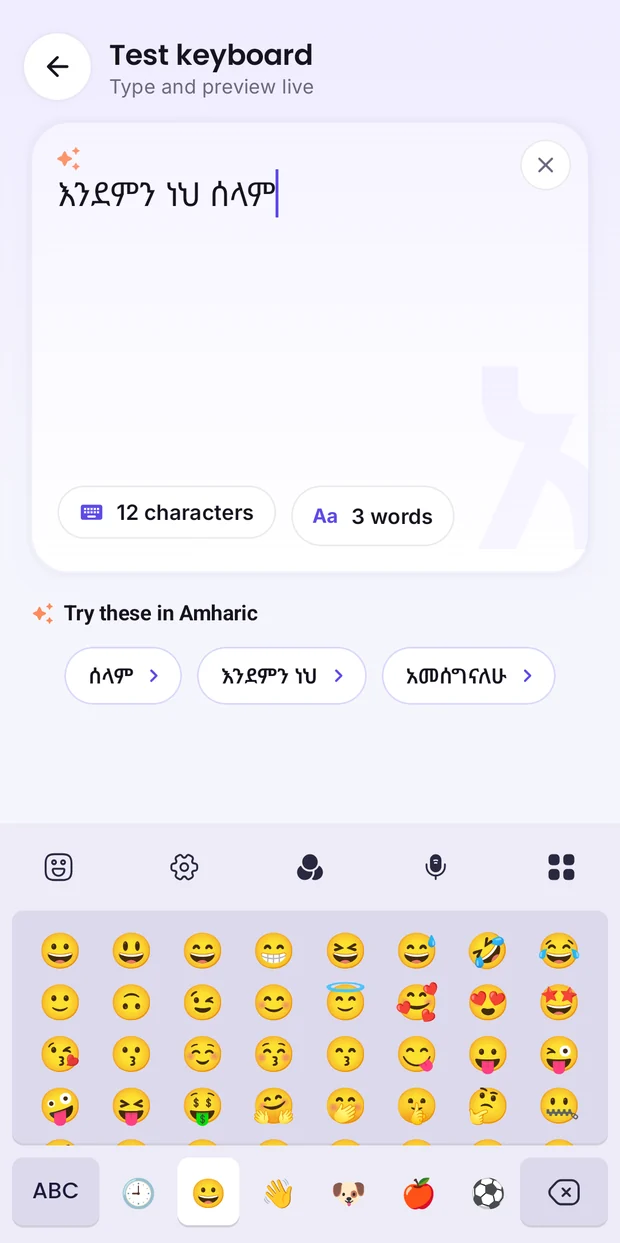
Word completion, predictions and gentle English auto-correct — with an optional number row and emoji.
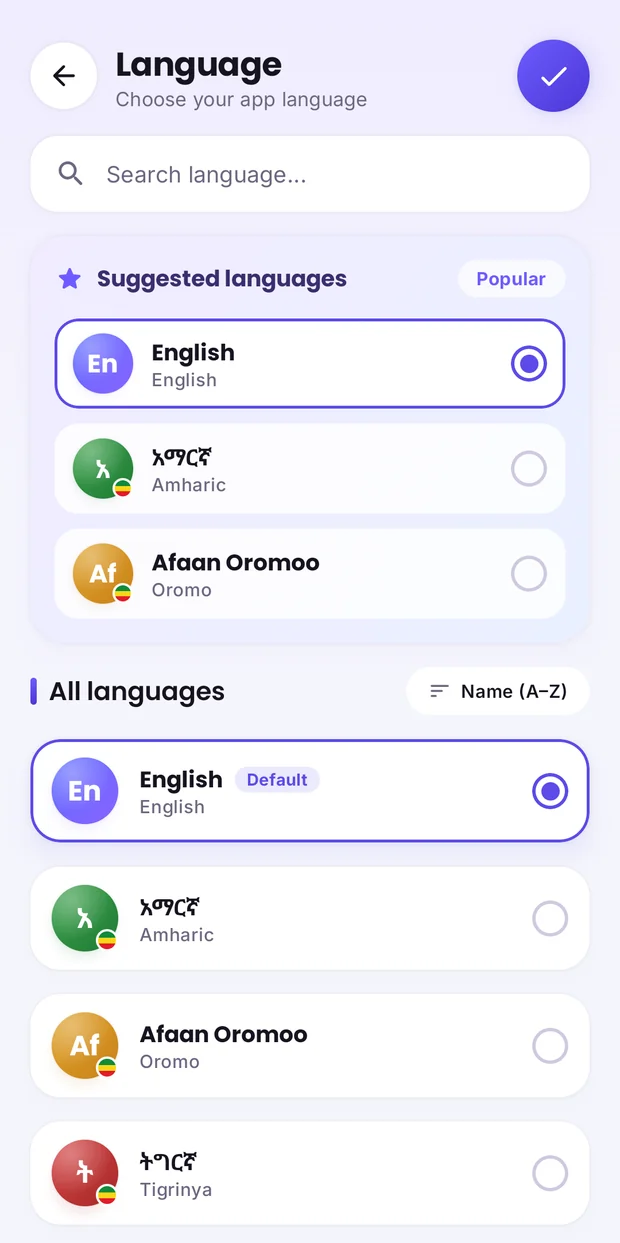
The app interface speaks Amharic, Tigrinya, Oromo, Somali, Arabic, Hebrew and English — switch live.
A keyboard touches everything — messages, passwords, searches. So we built this one to keep all of it on your device. We don't log keystrokes, we don't store your text, and there's no account to create. Trust isn't a setting here; it's the default.
Read the full Privacy Policy — it's written in plain English.
Open the app and tap Enable keyboard. Turn on “Amharic Keyboard” in your phone's input-methods list.
Tap Choose keyboard and pick Amharic (አማርኛ) so it's ready in every app you use.
Open any chat and type in fidel, phonetic or by voice. Long-press space to switch Amharic ⇄ English.
Tap any screen to zoom in.
Free, private and crafted for Ge'ez. Get Amharic Keyboard and make every message feel like home.
Coming soon to Google Play · No sign-up · No personal data collected